

30-minuten lente-reset voor je bureau: een stap-voor-stap checklist voor een schone, minimalistische werkplek
Gooi je oude, inspiratieloze, versleten bureau weg en
configureer vandaag nog je nieuwe ErgoHide bureau.
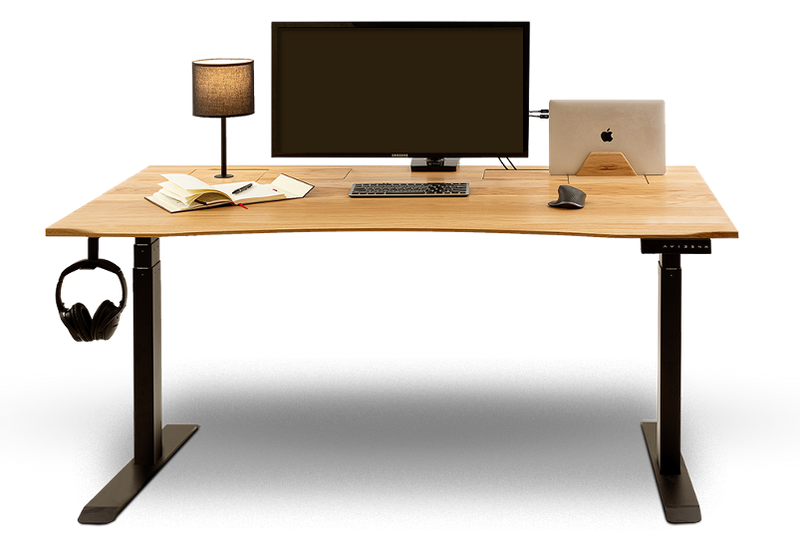
Het duurt maar 30 minuten om je bureau-opstelling een complete reset te geven.
Een volledige bureau-reset duurt slechts 30 minuten, dus zet je favoriete playlist op, pak een doekje erbij en laten we je setup weer helemaal opfrissen.
De eerste vijf minuten:
- Haal alles van je bureau af (verwijder alle rommel van je bureau)
- Leg alle spullen gewoon op een stapel in de buurt en probeer ze nog niet te organiseren; het doel is alleen om de ruimte leeg te maken.

- Denk er niet te veel over na. Zet je favoriete playlist op (muziek helpt echt meer dan je denkt) en ga ervoor.
- Haal alles weg: monitoren, laptops, toetsenborden, kabels, decoratie, echt alles.
- Probeer nog niets te sorteren of organiseren, want het doel is simpelweg om het oppervlak leeg te maken zodat je alles goed kunt schoonmaken.
De reden hiervoor is simpel: wanneer je bureau helemaal leeg is, zie je pas echt hoeveel ruimte je eigenlijk hebt. Zo doorbreek je de gewoonte om telkens om rommel heen te werken. Het helpt om je setup volledig te resetten én om te zien hoeveel stof en vuil je bureau ondertussen heeft verzameld.
De volgende 5 tot 15 minuten:
Nu je bureau leeg is, neem even de tijd om het goed schoon te maken. Maak het bureaublad grondig schoon, inclusief het oppervlak, de randen en eventueel de onderkant. Je kunt ook een plumeau gebruiken voor moeilijk bereikbare plekken.
⚠️Gebruik geen schurende materialen of agressieve schoonmaakmiddelen, omdat deze het hout kunnen beschadigen. Bij vlekken of gemorste vloeistoffen maak je het oppervlak het best meteen schoon met een licht vochtige doek en een milde houtreiniger. Een zachte doek werkt eerlijk gezegd het beste.
Als je drinken hebt gemorst en er zijn vlekken ontstaan, maak deze dan direct schoon met een licht vochtige doek en een milde houtreiniger. Door kleine vlekken meteen aan te pakken, voorkom je dat ze permanent worden. En eerlijk? Onderzetters zijn echt je beste vriend of nog beter, gebruik een bekerhouder, want we weten allemaal dat koffie gewoon onderdeel is van een thuiswerk-setup. Je kunt hem hier bekijken: Bekerhouder

Je kunt ook meer informatie vinden over het onderhoud van je bureau. Voor meer details kun je hier klikken: Onderhoud en verzorging van je ErgoHide-bureau: tips voor een lange levensduur en optimale prestaties
Mocht je bureau ooit opnieuw geolied moeten worden, houd er dan rekening mee dat dit iets langer duurt dan 30 minuten, omdat de olie voldoende tijd nodig heeft om goed te drogen. De olie die wij gebruiken is: Osmo Oil 3062 Clear Matt
Maak ook je toetsenbord, muis en scherm schoon. Dit is iets wat je af en toe echt even zou moeten doen. Voor je muis kun je eenvoudig een persluchtspray gebruiken. Het is zo’n klein dingetje dat toch een groot verschil maakt. Gebruik een air duster om stof en kruimels weg te blazen en geef alles daarna even een snelle schoonmaakbeurt zodat het weer fris aanvoelt. Het kost niet veel tijd, maar je werkplek voelt er meteen een stuk beter door aan.
De volgende 15 tot 20 minuten: Sorteer alles in 3 groepen
Nu je bureau schoon is, neem even de tijd om door alles heen te gaan wat je eerder hebt weggehaald. Laat de spullen los die je niet meer nodig hebt.
Bewaren: Dit zijn de spullen die je elke dag gebruikt, je echte essentials. Denk aan je computer, laptop, muis, toetsenbord, notitieboekje, pen en misschien een oplader. Zet alleen terug wat echt dagelijks op je bureau hoort. (Probeer alleen te houden wat je dagelijkse workflow echt ondersteunt)
Opslaan: Dit zijn spullen die je af en toe gebruikt, maar niet constant nodig hebt. In plaats van ze op je bureau te laten liggen, kun je ze beter ergens dichtbij opbergen zodat je er nog steeds makkelijk bij kunt wanneer nodig.
Goede opties hiervoor zijn de onderstaande items. Zo blijft je werkplek netjes én praktisch.


Opbergen of wegdoen: Oude papieren, willekeurige spullen, ongebruikte kabels en dubbele items. Rommel helpt je niet om je beter te concentreren, het zorgt alleen voor meer chaos. Berg deze spullen ergens anders op of overweeg om ze weg te doen.
De volgende 20 tot 25 minuten: Zet alleen je essentials terug
Focus op je bureau en zet alleen terug wat je echt dagelijks nodig hebt.
- Je laptop/monitor/tablet (indien nodig) en je kunt deze zelfs op een van onze accessoires plaatsen: Laptophouder

- Je muis en toetsenbord, of berg ze op met onze toetsenbordlade. Je kunt daar zelfs een pianotoetsenbord op plaatsen. Je kunt hem hier bekijken: Houten toetsenbordlade

- Eén of twee persoonlijke items zijn meer dan genoeg, vooral als je van muziek houdt of werkt met audioapparatuur zoals keyboards of speakers, want hoe minder spullen er op je bureau staan, hoe minder afleiding je hebt. Je kunt ook een speakerstandaard gebruiken om je speakers netjes georganiseerd te houden en extra ruimte op je bureau vrij te maken. Je vindt hem hier: Zwevende luidsprekerstandaards

Werk je kabels af in de laatste 5 minuten
Het is eerlijk gezegd best stressvol wanneer je kabels niet goed georganiseerd zijn, vol stof liggen en misschien zelfs een ongeluk kunnen veroorzaken.
- Groepeer ze per functie: voor internet, voor je scherm, voor je pc.
- Gebruik kabelclips of kabelbinders als je die hebt.
- En werk ze netjes weg met ons Kabelbeheerunit

Als je wilt dat je setup er zo netjes blijft uitzien, helpt een snelle opruimbeurt van 2 tot 3 minuten per dag echt enorm. Zo blijft je werkplek schoon, georganiseerd en elke dag klaar voor gebruik.
Voor meer tips kun je ook deze blog bekijken: 3 redenen waarom een opgeruimd bureau je productiever maakt
Gooi je oude, inspiratieloze, versleten bureau weg en
configureer vandaag nog je nieuwe ErgoHide bureau.
Wil je weten waarom? Want met ErgoHide kun je:
Zal je manier van werken veranderen: Unieke kabelbeheersoplossing voor een opgeruimde ruimte en unieke accessoires die je persoonlijke stijl weerspiegelen.
Zal je kantoor omtoveren tot een ruimte van inspiratie en schoonheid: Elk ErgoHide bureau is gemaakt van gecertificeerd en lokaal gewonnen massief eiken of notenhout. Elk bureaublad wordt met de hand geolied en persoonlijk geïnspecteerd voordat het verzonden wordt, wat zorgt voor langdurige duurzaamheid, tijdloze stijl en de natuurlijke schoonheid van het hout.
Zal een lokaal EU-bedrijf en onze duurzaamheidsmissie ondersteunen: Leer meer op onze Over ons pagina, maar kort gezegd – we hanteren een praktische benadering van duurzaamheid. Voor elke 100 verkochte bureaus planten we een boom om de natuurlijke hulpbronnen die we gebruiken aan te vullen.
Bij ons ben je altijd aan de veilige kant: Onze 180-dagen geld-terug-garantie geldt zelfs voor bureaus op maat en speciale verzoeken, zodat je voldoende tijd hebt om je ErgoHide bureau te testen voordat je een definitieve beslissing neemt. Kies je ideale opstelling en profiteer van GRATIS verzending – klik hier om nu je nieuwe ErgoHide bureau te configureren!

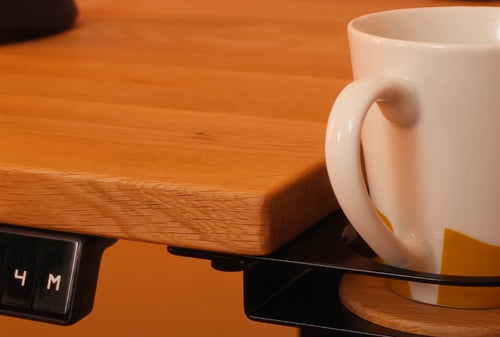 Echte hout
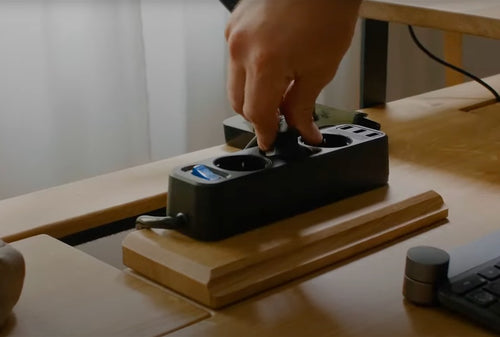 Kabelbeheer
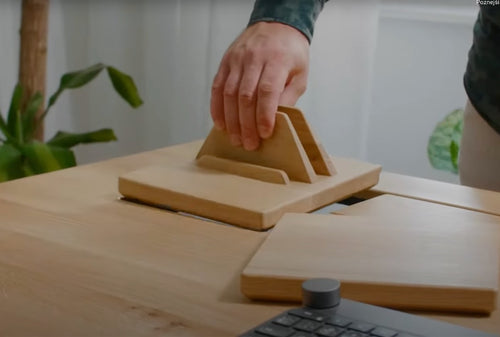 Accessoires
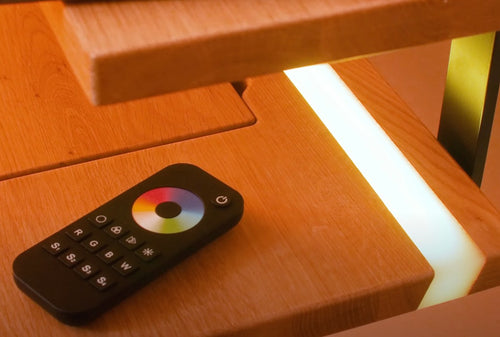 Epoxy LED