

30-minuters vårstädning av skrivbordet: En steg-för-steg-guide till en ren och minimalistisk arbetsyta
Släng ditt gamla, oinspirerande, slitna skrivbord och
konfigurera ditt nya ErgoHide skrivbord idag.
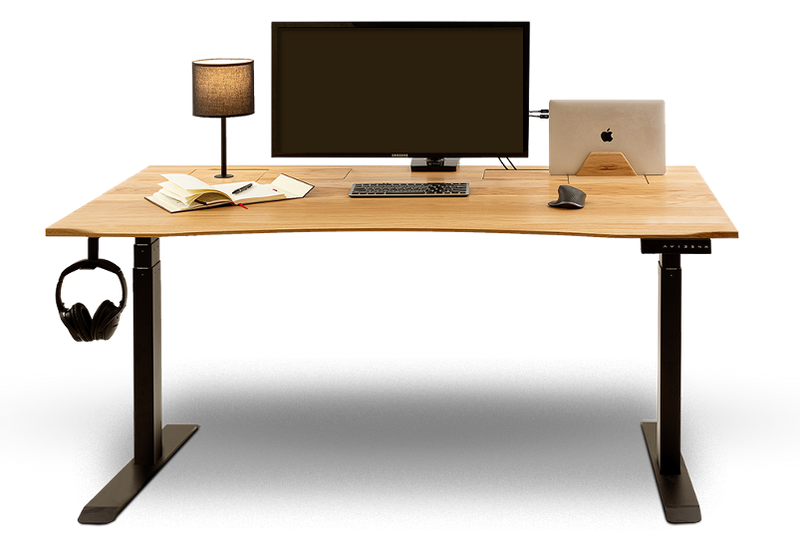
Det tar bara 30 minuter att fräscha upp ditt skrivbord.
En fullständig skrivbordsreset tar bara 30 minuter, så sätt på din favoritspellista, ta fram en trasa och låt oss ge din arbetsyta en ordentlig uppfräschning.
De första fem minuterna:
- Ta bort allt från skrivbordet (rensa bort all röra från ditt skrivbord)
- Lägg sakerna i en hög bredvid och organisera dem inte ännu, målet just nu är bara att frigöra ytan.

- Övertänk det inte. Sätt på din favoritspellista, musik hjälper mer än man tror, och bara sätt igång.
- Ta bort allt: skärmar, laptops, tangentbord, kablar, dekorationer, precis allt.
- Sortera eller organisera inget ännu, eftersom målet just nu bara är att tömma ytan så att du kan rengöra allt ordentligt.
Anledningen är enkel: när skrivbordet är tomt kan du tydligt se hur mycket plats du faktiskt har, och du bryter vanan att arbeta bland röra och saker överallt. Målet är att ge hela din setup en riktig nystart och samtidigt se hur mycket smuts som faktiskt har samlats på skrivbordet.
Nästa 5 till 15 minuter:
Nu när skrivbordet är tomt, ta några minuter och rengör det ordentligt. Torka av hela skrivbordet noggrant, ytan, kanterna och undersidan om det behövs. Du kan också använda en dammvippa för svåråtkomliga områden.
⚠️Kom ihåg att undvika slipande material eller starka kemikalier som kan skada träet. Om du spiller något eller får fläckar, rengör dem direkt med en lätt fuktad trasa och ett milt rengöringsmedel för trä. En mjuk trasa fungerar faktiskt bäst.
Om du har spillt dryck på skrivbordet och det blivit märken, rengör dem direkt med en lätt fuktad trasa och ett milt rengöringsmedel för trä. Att ta hand om små fläckar direkt förhindrar att de blir permanenta. Och ärligt talat, glasunderlägg är din bästa vän, eller ännu bättre, skaffa en mugghållare eftersom vi alla vet att kaffe är en del av hemmakontoret. Du kan se den här: Mugghållare  Du kan också hitta information om hur du tar hand om ditt skrivbord här: Skötsel och underhåll av ditt ErgoHide-skrivbord: Tips för lång livslängd och prestanda
Om ditt skrivbord någon gång behöver oljas in igen, tänk på att det tar lite längre än 30 minuter eftersom oljan behöver tid för att torka ordentligt. Oljan vi använder är: Osmo Oil 3062 Clear Matt
Rengör också ditt tangentbord, din mus och din skärm. Det här bör göras då och då. För musen räcker det att använda tryckluft. Det är en av de små sakerna som gör stor skillnad. Använd tryckluft för att blåsa bort damm och smulor och torka sedan snabbt av allt så att det känns fräscht igen. Det tar inte lång tid, men det gör att din arbetsyta känns märkbart bättre.
Nästa 15 till 20 minuter: Sortera allt i 3 grupper
Nu när ditt skrivbord är rent, ta lite tid och gå igenom allt du tog bort tidigare. Gör dig av med sådant du inte behöver längre.
Behåll: Det här är sakerna du använder varje dag, dina viktigaste saker. Dator, laptop, mus, tangentbord, anteckningsblock, penna, kanske en laddare. Lägg bara tillbaka det som faktiskt hör hemma på ditt skrivbord varje dag. (Försök att bara behålla det som verkligen stödjer ditt dagliga arbetsflöde)
Förvara: Det här är saker du använder ibland, men inte hela tiden. Istället för att låta dem ligga kvar på skrivbordet, förvara dem nära till hands så att de är enkla att komma åt när du behöver dem.
Bra alternativ för detta är produkterna nedan. Det hjälper dig att hålla arbetsytan ren samtidigt som den fortfarande är praktisk.


Lägg undan: Gamla papper, slumpmässiga föremål, oanvända kablar och dubbletter. Röra hjälper dig inte att fokusera, den skapar bara mer distraktioner. Flytta antingen undan sakerna eller fundera på att göra dig av med dem.
Nästa 20 till 25 minuter: Lägg bara tillbaka det viktigaste
Fokusera på ditt skrivbord och lägg bara tillbaka det som du faktiskt behöver varje dag.
- Laptop/skärm/surfplatta (om det behövs), och du kan även placera dem på ett av våra tillbehör: Stativ för bärbar dator

- Din mus och ditt tangentbord, eller förvara dem på vår tangentbordsbricka. Du kan till och med placera ditt pianokeyboard där också. Du kan se den här: Trä-tangentbordshylla

- En eller två personliga saker räcker gott och väl, särskilt om du älskar musik eller om ditt arbete involverar ljudutrustning som keyboards eller högtalare, eftersom färre saker på skrivbordet betyder färre distraktioner. Du kan också använda ett högtalarställ för att hålla dina högtalare organiserade och frigöra plats på skrivbordet. Du hittar det här: Flytande högtalarstativ

Ordna dina kablar under de sista 5 minuterna
Det är ärligt talat stressande när kablar inte är organiserade, är dammiga och till och med kan orsaka olyckor.
-
Gruppera dem: för internet, för skärmen, för datorn.
-
Använd klämmor eller buntband om du har det
-
Och göm dem med vår Utrymme för kabelhantering

Om du vill att din setup ska fortsätta se ut så här hjälper det verkligen med en snabb daglig städning på 2 till 3 minuter. Det håller din arbetsyta ren, organiserad och redo att användas varje dag.
För fler tips kan du också läsa den här bloggen: 3 anledningar till varför ett städat skrivbord gör dig mer produktiv
Släng ditt gamla, oinspirerande, slitna skrivbord och
konfigurera ditt nya ErgoHide skrivbord idag.
Vill du veta varför? För med ErgoHide kan du:
Kommer att förändra hur du arbetar: Unik kabelhanteringslösning för en oordnad fri yta och unika tillägg som reflekterar din personliga stil.
Kommer att förvandla ditt kontor till en plats av inspiration och skönhet: Varje ErgoHide skrivbord är tillverkat av certifierad och lokalt skaffad massivt ek eller valnöt. Varje bordsskiva är handoljad och personligen inspekterad innan den skickas, vilket säkerställer långvarig hållbarhet, tidlös stil och den naturliga skönheten i träet.
Kommer att stödja ett lokalt EU-företag och vår hållbarhetsmission: Läs mer på vår Om oss sida, men kort sagt – vi har en praktisk inställning till hållbarhet. För varje 100 sålda skrivbord planterar vi ett träd för att hjälpa till att återfylla de naturliga resurser vi använder.
Du är alltid på den säkra sidan med oss: Vår 180-dagars pengarna-tillbaka-garanti gäller även för specialmått och speciella önskemål, vilket ger dig gott om tid att testa ditt ErgoHide skrivbord innan du fattar ett slutgiltigt beslut. Välj din idealiska konfiguration och dra nytta av GRATIS leverans – klicka här för att börja konfigurera ditt nya ErgoHide skrivbord nu!

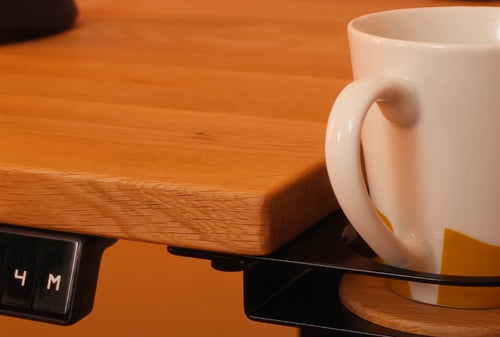 Äkta trä
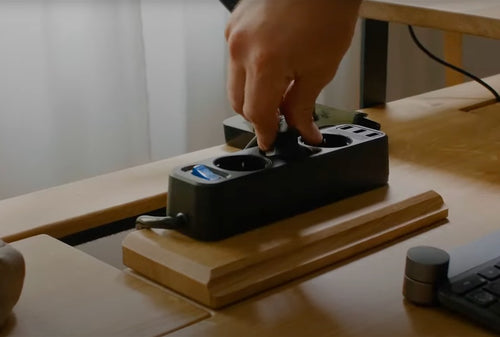 Kabelhantering
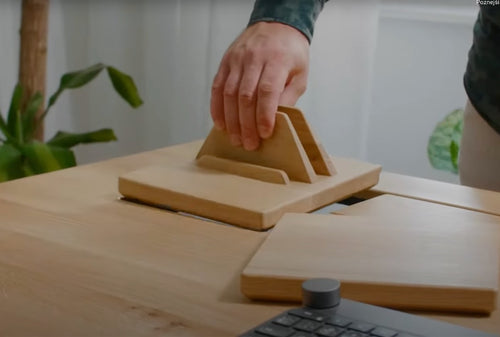 Tillägg
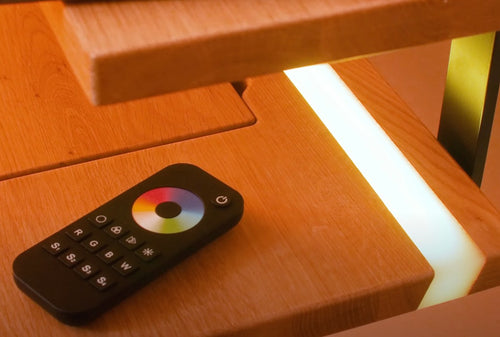 Epoxy LED